
Resources
Help & articles
Guides, how-tos and news for your catering business.
Help topics
Settings
How Terms Lock on a Quote
When the terms on a quote can be changed, when they lock, and why — so the terms you have on record are the ones the customer actually agreed to.
Understand when the terms and conditions on a quote can be changed, when they lock, and why — so the terms you have on record are always the ones the customer actually agreed to.
This is a companion to the Terms & Conditions guide, which covers creating and applying terms. Here we explain how they behave once a quote is on its way to being accepted.
Terms Are Versioned
Every time you edit one of your terms and conditions templates in Settings → Terms & Conditions, Puree saves a new numbered version (v1, v2, v3…) behind the scenes. Your existing quotes don’t silently change when you do this — each quote stays attached to the exact version that was current when you last saved it. That way, editing your standard terms next month never rewrites what a customer agreed to last month.
When You Can Change the Terms
You can freely choose or switch the terms on a quote at any point before it has been accepted — while it’s still an open, pending quote. On the quote form, the Terms and conditions selector lets you pick a template (and, once history exists, a specific version). Every time you save, the quote picks up the latest version of the terms you chose.
When Terms Lock
Once a quote is Accepted — whether the customer clicked Accept Quote online, or you marked it accepted internally — the terms are locked to the version that was in force at that moment. On the quote form you’ll see the terms shown as read-only text with a note:
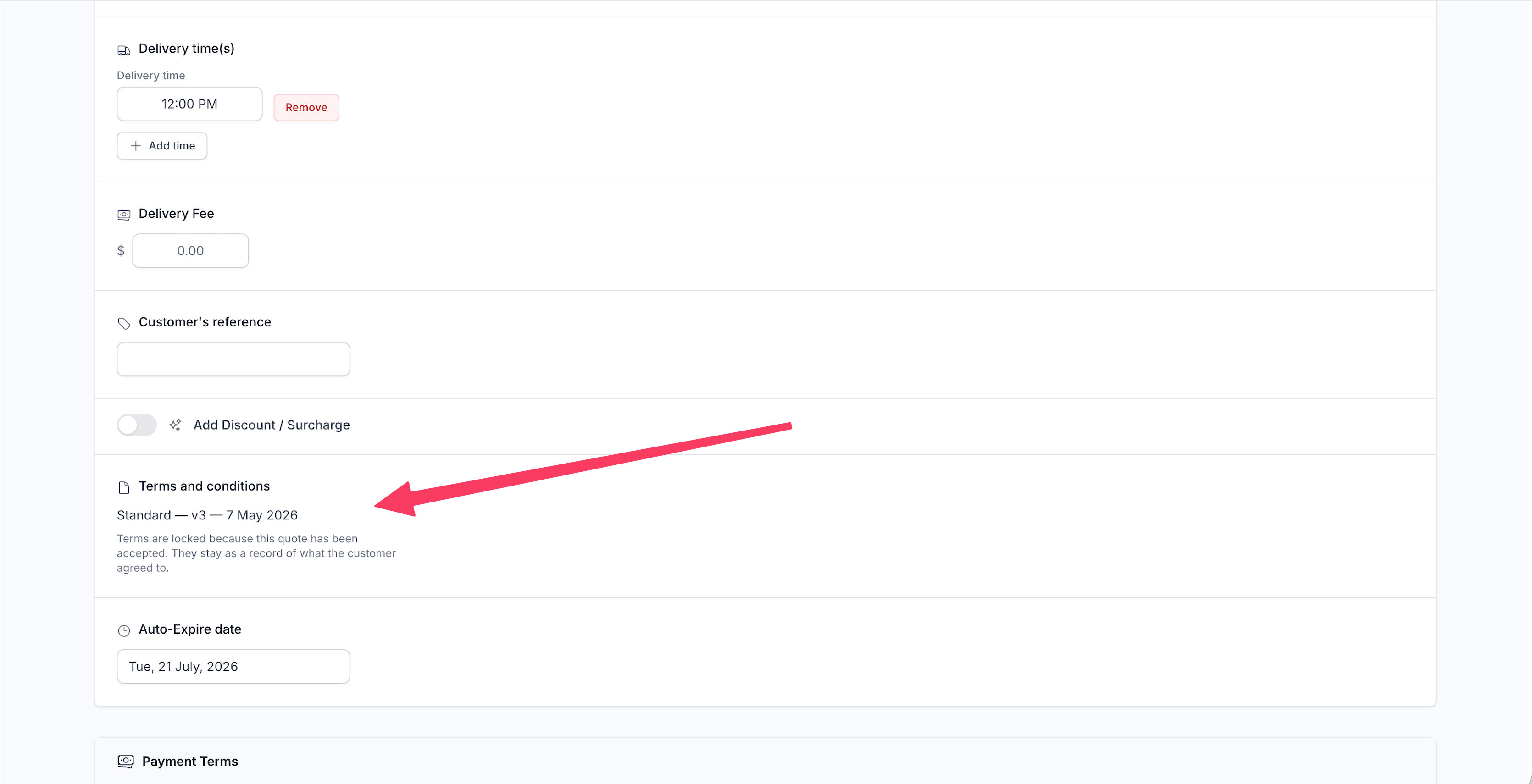
The same lock applies once a quote has been declined or is otherwise finalised. The terms can no longer be swapped or edited on that quote through the form, the app, or any other route.
Why We Lock Them
A quote’s terms and conditions are part of the agreement your customer accepts. Once they’ve accepted, those terms are the record of what was agreed. If they could still be edited afterwards, that record would no longer be trustworthy — for you or for the customer. Locking guarantees the accepted quote, and its Terms & Conditions, always reflect exactly what was in front of the customer when they said yes.
Changing Terms After a Quote Is Accepted
If something genuinely needs to change after acceptance, don’t try to edit the locked terms in place — create a new version of the quote instead. On an accepted order, use Save as new version (see Order Versioning). This bumps the quote (e.g. 123 → 123.2) and returns it to Pending, which unlocks the terms again so you can select a different template or version.
The new version then has to be accepted again — and crucially, the previous accepted version keeps its own Acceptance Certificate showing the original terms. Nothing is lost or overwritten: each accepted version carries its own immutable record of the terms agreed at that point.
If You Only Accept Quotes Internally
Some caterers never send quotes to customers to accept online — they confirm the job over the phone or by email and mark it accepted internally. The rules are exactly the same in that workflow:
- Marking a quote accepted internally locks its terms, just as an online acceptance would.
- To change the terms afterwards, use Save as new version — this returns the quote to Pending and reopens the terms selector.
- Accept the new version again (internally is fine) to lock in the updated terms. The earlier version keeps its own certificate with the original terms.
In short: the terms are always editable before a quote is accepted, and locked once it’s Accepted. Creating a new version is the deliberate, tracked way to reopen and change them — so every change leaves a clean paper trail rather than quietly rewriting a signed agreement.