
Resources
Help & articles
Guides, how-tos and news for your catering business.
Help topics
Settings
Terms & Conditions
Create and manage the terms and conditions that are automatically included on your customer quotes.
Create and manage terms and conditions that are automatically included on your customer quotes.
Why Use Terms and Conditions?
Clear terms and conditions ensure both you and your customers have a mutual understanding of service expectations — covering payment terms, cancellation policies, service scope, and anything else relevant to your business. Puree lets you create reusable templates that are automatically included at the bottom of your customer quotes.
Creating Terms and Conditions
Go to Settings → Terms & Conditions and click Add New. Give your terms a clear title (e.g. “Standard Catering Terms” or “Venue Hire Terms”) and enter the content. You can create multiple sets of terms if your business requires different agreements for different types of events or services.
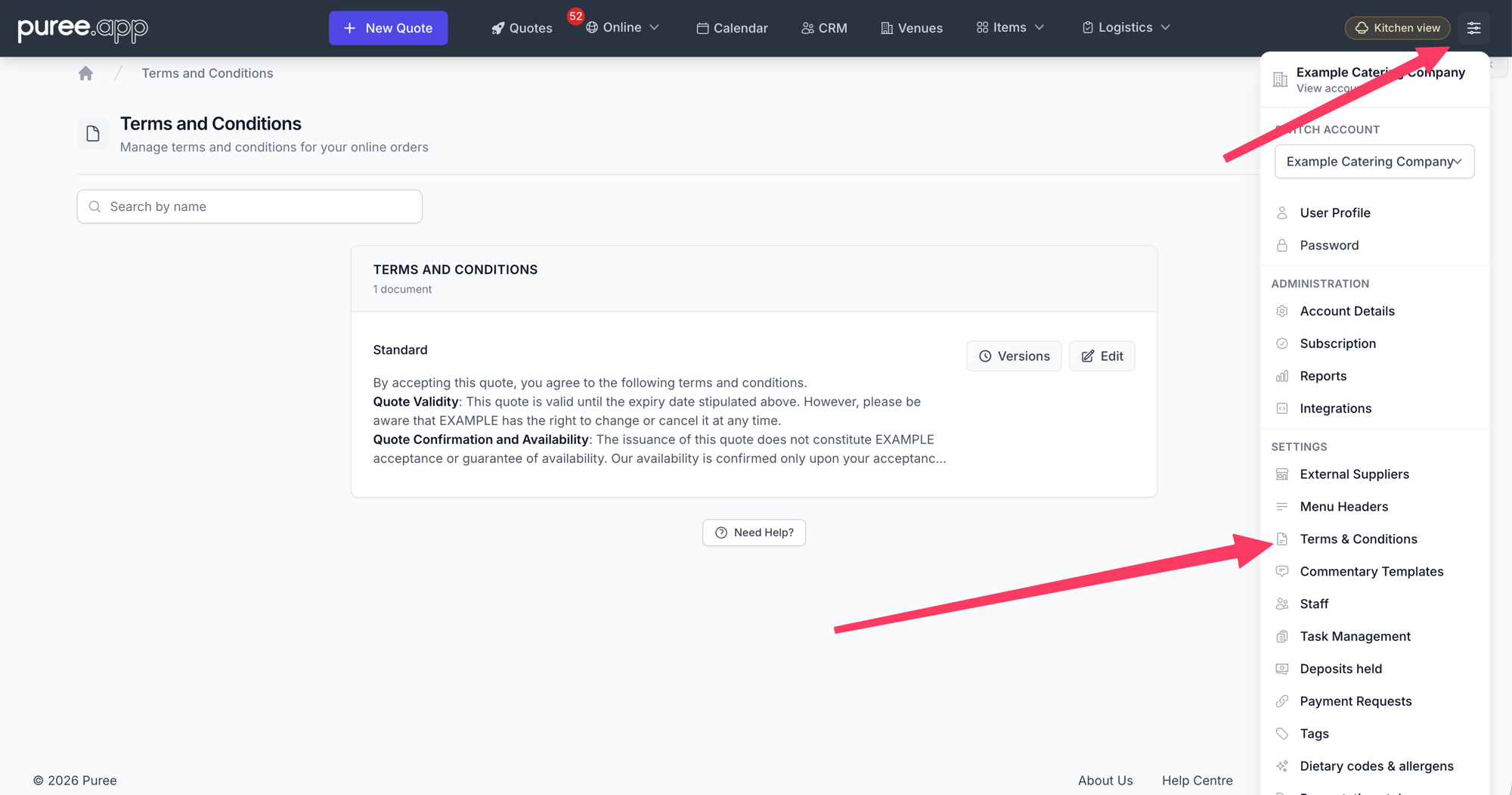
Each saved document has a Versions button — every time you edit its title or content, Puree keeps the previous wording as a numbered version, so quotes that used an earlier version stay unchanged.
Applying Terms to Quotes
When creating or editing a quote, you’ll find an option to select which terms and conditions to include. Choose the appropriate template from your saved terms. The selected terms are displayed at the bottom of the customer’s quote, so they can review them before accepting.
If you have a default set of terms, they can be automatically applied to new quotes so you don’t have to select them each time.
Terms can be changed while a quote is still open, but they lock once the quote is accepted so they stand as a record of what the customer agreed to. How Terms Lock on a Quote
Signed Acceptance Certificate
Each time a quote moves to accepted — whether the customer clicks Accept Quote online or you mark it accepted internally — Puree generates an Acceptance Certificate PDF and stores it as an immutable record. The PDF reproduces the full quote and the terms and conditions that were in force at the moment of acceptance, plus a final certificate page recording:
- Quote reference, version, customer and caterer names, and the date the quote was prepared
- Acceptance method — online acceptance with IP address, or internal acceptance with the name of the user who marked it accepted
- Acceptance timestamp in your account’s time zone
- The name and version number of the terms and conditions that were agreed
You can download the certificate from the order’s Audit trail at any time — look for the Signed PDF link next to the acceptance entry. The customer can also download their copy from the post-acceptance quote view.
Multiple Sets of Terms
If you offer different services — for example, event catering and venue management — you may need separate terms for each. Puree supports multiple templates, so you can select the right one depending on the type of quote you’re creating.
Tips
- Review and update your terms regularly to reflect any changes in your service or legal requirements
- Keep the language clear and concise so customers can easily understand the policies
- Consider having separate terms for different service types to avoid confusion
Standard Terms Template
Not sure where to start? Below is a standard catering terms and conditions template based on common industry practice. Copy and paste it into your first template and customise it to suit your business.
Legal Disclaimer: This template is provided as a general starting point only and does not constitute legal advice. You should consult a qualified legal professional to ensure your terms and conditions are appropriate for your business, comply with applicable laws, and adequately protect your interests.