
Resources
Help & articles
Guides, how-tos and news for your catering business.
Help topics
Operations
Event Staff
Set up staff roles, include staffing costs in your quotes and manage event rosters.
Set up staff roles, include staffing costs in your quotes, and manage event rosters.
Setting Up Staff Roles
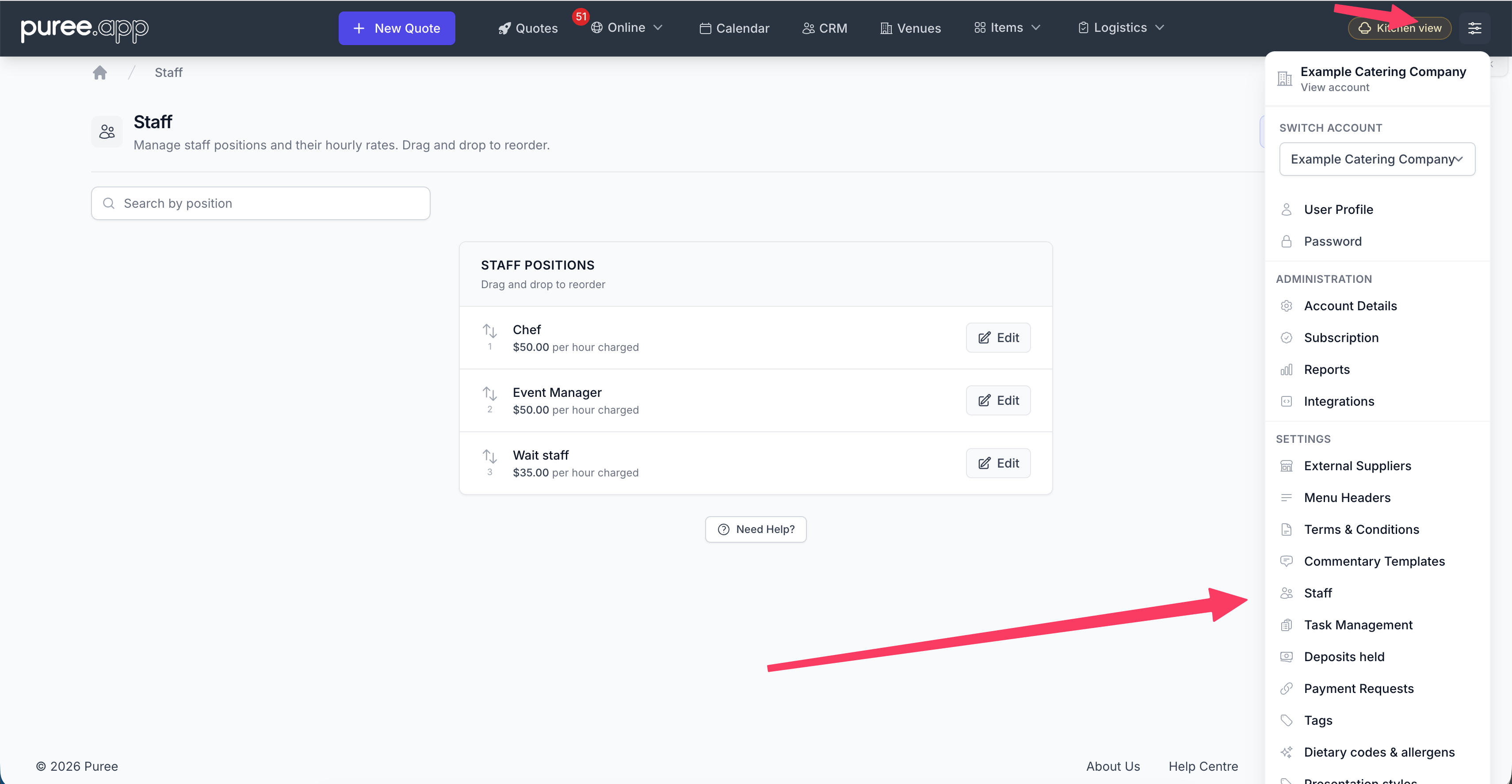
Before you can add staff to quotes, you need to create your staff positions. Open the account menu in the top-right corner and choose Settings → Staff, then add the roles you use — for example, Chef, Waiter, Bartender, or Event Manager. For each role you choose a charge type and a rate.
- Hourly rate — The standard model. Cost on the quote is quantity × rate × hours worked.
- Fixed charge — A flat amount per quantity, regardless of the hours entered on the quote. Useful for staff hired at a set fee per event (e.g. a chef booked for the day, an event manager paid a fixed fee).
The rate you set is used as the starting point when adding the staff member to a quote, but can be adjusted on a per-quote basis.
Adding Staff to a Quote
To include staff in a quote, the order type must be set to Staffed event or Staffed event with deliveries. Once you’re on the items page, go to the Staff tab and add the positions you need. For each staff entry you can set:
- Role — Select from your configured staff positions
- Quantity — How many of this role are needed
- Rate — Defaults to the role’s rate, but can be overridden
- Start and finish times — Required for both charge types. For hourly staff, these drive the cost calculation. For fixed-charge staff, they’re used for rostering and the customer-facing schedule but don’t affect price.
Hourly staff cost = quantity × rate × hours. Fixed-charge staff cost = quantity × rate. Both are included in the quote total, and your customer sees the staff line items on their quote with the total cost.
Each staff line on a quote remembers the charge type that was set when it was added. So if you later switch a staff role from hourly to fixed (or vice versa), existing quotes keep their original pricing — only newly-added staff lines pick up the new setting.
How Staff Appear on Quotes
Staff are shown as a separate section on the customer’s quote, listing each role with the quantity, hours, and total cost. This gives customers a clear breakdown of staffing costs alongside the food, beverage, and equipment charges.
Staff in Dockets and Event Briefs
Once a quote is accepted, the staff details flow through to your operational documents. The Event Brief Docket includes a staff section showing each role with start and finish times, giving your on-site team a clear picture of who’s working and when.
Rostering with Deputy
If you use Deputy for staff rostering, Puree can push each staff line on an accepted order to Deputy as an open shift, and pull the assignee’s name back into the Staff Roster page and Event Brief PDF when a team member claims the shift. See Connecting with Deputy for set-up.
Tips
- Always estimate staff hours upfront — it provides clarity for customers and helps you plan resources
- Use the default rate on the staff role to save time, and only override it when needed for specific events
- Use Fixed charge when a staff member is booked at a set fee per event rather than billed by the hour — it removes the need to inflate an hourly rate to make the maths work
- Staff costs are included in discount and surcharge calculations, so they’re treated the same as other line items
Tax on staff charges
When item-level tax is enabled, a staff role’s Tax rate can follow the account default or use another band.
The quote’s inclusive/exclusive setting determines whether tax is already in the entered charge or added on top. Override all tax bands also applies to staff charges while enabled.
See Tax Rates for band setup and quote overrides.